
I lost track of my own crypto once. Not literally, the coins were still there, but I genuinely could not tell you what I was holding. Some on Binance, a bit on Coinbase, a chunk in MetaMask, a few tokens on a Base wallet I'd forgotten about, and an old hardware wallet in a drawer. Adding it up meant seven browser tabs and a calculator. That mess is exactly the problem a crypto portfolio tracker solves.
So let's talk about what these tools actually do, why you'd bother, and how to pick one without handing a stranger the keys to your money. I've tried a bunch of them over the years, killed a few after a week, and kept the ones that earned their spot on my phone. This is the guide I wish someone had given me before I started plugging API keys into random apps I found on a subreddit.
What a crypto portfolio tracker actually is
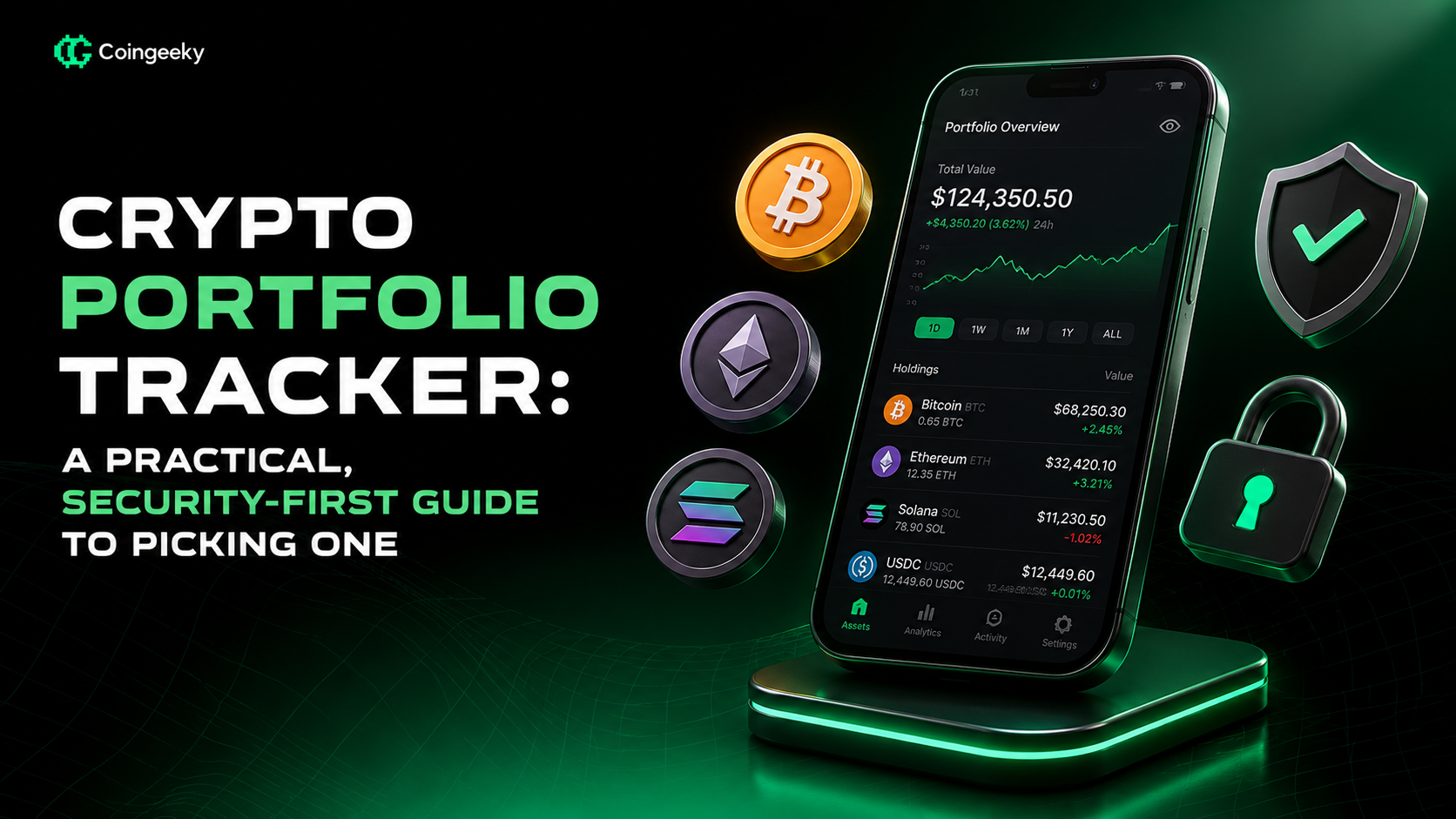
Strip away the marketing and a crypto portfolio tracker is an aggregator. It connects to the places your assets live and pulls them into a single dashboard. Instead of guessing, you see one number: total value. Below that, it breaks things down by coin, by chain, by wallet, whatever you want.
It connects in one of two ways. For exchanges, you plug in an API key, which is a set of credentials that lets the tracker read your balances. For on‑chain wallets, you just paste your public address, the same string you'd give someone to send you funds. Both are read‑only when set up correctly. The tracker looks, it doesn't touch.
Once it's connected, the good ones show you more than a total. Allocation, so you can see you're somehow 60% in one memecoin. Profit and loss against your cost basis, meaning what you paid versus what it's worth now. Some pull in DeFi positions, staking rewards, and NFTs. A few even spit out tax reports at the end of the year.
Why you'd actually want one
Here's the honest pitch. Without a tracker, most people have no idea how they're really doing. You remember your wins. You conveniently forget the bags that quietly bled out. A dashboard doesn't let you lie to yourself.
Cost basis is the big one for me. Knowing what you paid, on average, across a dozen buys at different prices, is nearly impossible to eyeball. A tracker does that math automatically. Suddenly you know whether you're actually up or just up on paper for the coins you happened to buy early.
Then there's the scattered‑holdings problem. Cross‑chain life is normal now. You might have assets on Ethereum, Solana, Base, Arbitrum, and two exchanges. No single wallet app shows all of it. A tracker is the only thing that gives you the full picture in one place.
And alerts. Set a price alert and you stop refreshing charts at 2am. The tracker pings you instead. Small thing, big quality‑of‑life upgrade.
There's also the plain psychological benefit of not living in the dark. When your holdings are scattered, it's easy to convince yourself you're doing better, or worse, than you actually are. Fear makes you sell the bottom. Greed makes you buy the top. Seeing the real, unflattering numbers in one place tends to calm both impulses down, at least for me. It's harder to panic when you can actually see the whole board.
What to look for when you choose
Not every tracker fits every person. Before you sign up, run through a few things.
- Does it support your exchanges and chains? This is the dealbreaker. If it can't read your Solana wallet or your favorite exchange, it's useless to you specifically.
- Read‑only and secure connections. It should only ever ask for read permissions. More on this below because it matters most.
- DeFi and NFT support, if you hold those. General trackers are patchy here. Test before you trust.
- Privacy. Some tools phone home with everything. Others, like open‑source Rotki, keep your data local.
- Accuracy. Do the numbers match reality? Sync a wallet you know and check.
- Mobile app. If you check your portfolio on your phone, a clunky app ruins the whole thing.
- Price alerts and notifications. Handy, not essential, but nice.
- Free versus paid. Know what the free tier limits before you get attached.
That last point deserves a note. A lot of trackers cap the number of wallets or connections on the free plan, then charge for the rest. There's nothing wrong with that. Just check the ceiling before you build your whole setup around a tool that'll ask for money next week.
Real tools, named without the hype
I won't tell you which one is best, because best depends on what you hold and what you care about. But here are real options worth a look.
CoinStats and Delta are two of the popular all‑rounders. Both connect to exchanges and wallets, both have solid mobile apps, and both work fine for the average investor who just wants a clean overview.
If you already use CoinMarketCap or CoinGecko for prices, both have built‑in portfolio features. They're basic compared to dedicated apps, but if you want manual tracking without connecting anything, they're a low‑commitment starting point.
Rotki is the one I point privacy‑minded people toward. It's open‑source and runs locally, so your holdings aren't sitting on someone else's server. That comes with a bit more setup, but the tradeoff is real control over your data.
And if your actual pain is taxes, a tool built for that, like Koinly, will serve you better than a general tracker with a tax feature bolted on. It's designed to turn a year of messy transactions into something your accountant won't groan at.
None of these is objectively the winner. Try one or two free, see which one reads your wallets correctly, and go from there.
The security rules you cannot skip
This is the part I'd tattoo on people if I could. Everything above is convenience. This is what keeps your money yours.
Rule one. Only connect read‑only API keys. When you generate an API key on an exchange, you choose its permissions. Give it read access and nothing else. Never, ever enable withdrawal or trade permissions for a tracker. A tracker's entire job is looking. It has zero reason to move your funds, and if it's compromised, a read‑only key means an attacker sees your balance and nothing more.
Rule two. Never share your seed phrase. No real tracker needs it. To follow a wallet, the tracker only needs your public address, which anyone can see anyway. Your seed phrase is the master key to the funds themselves. If any app, tracker or otherwise, asks for your seed phrase or private key, it's a scam. Close the tab.
Rule three. Think about what you're exposing. Even a read‑only connection means a company now knows how much you hold. For most people that's an acceptable trade for convenience. If it's not for you, that's exactly why local, open‑source options exist.
Where I'd start
If you're new to this, don't overthink it. Pick one free all‑rounder. Connect your main exchange with a read‑only key and paste in your main wallet address. Live with it for a couple weeks. See if the numbers feel right and the app doesn't annoy you.
You'll know pretty fast whether it fits. And once you've seen your real total in one place instead of scattered across a dozen apps, you won't go back to the calculator. I sure didn't.
The tool matters less than the habit. Any tracker that reads your assets accurately and never asks for more than read access is doing its job. Everything else is preference.